Browser extension
Make raw JSON responses readable automatically.
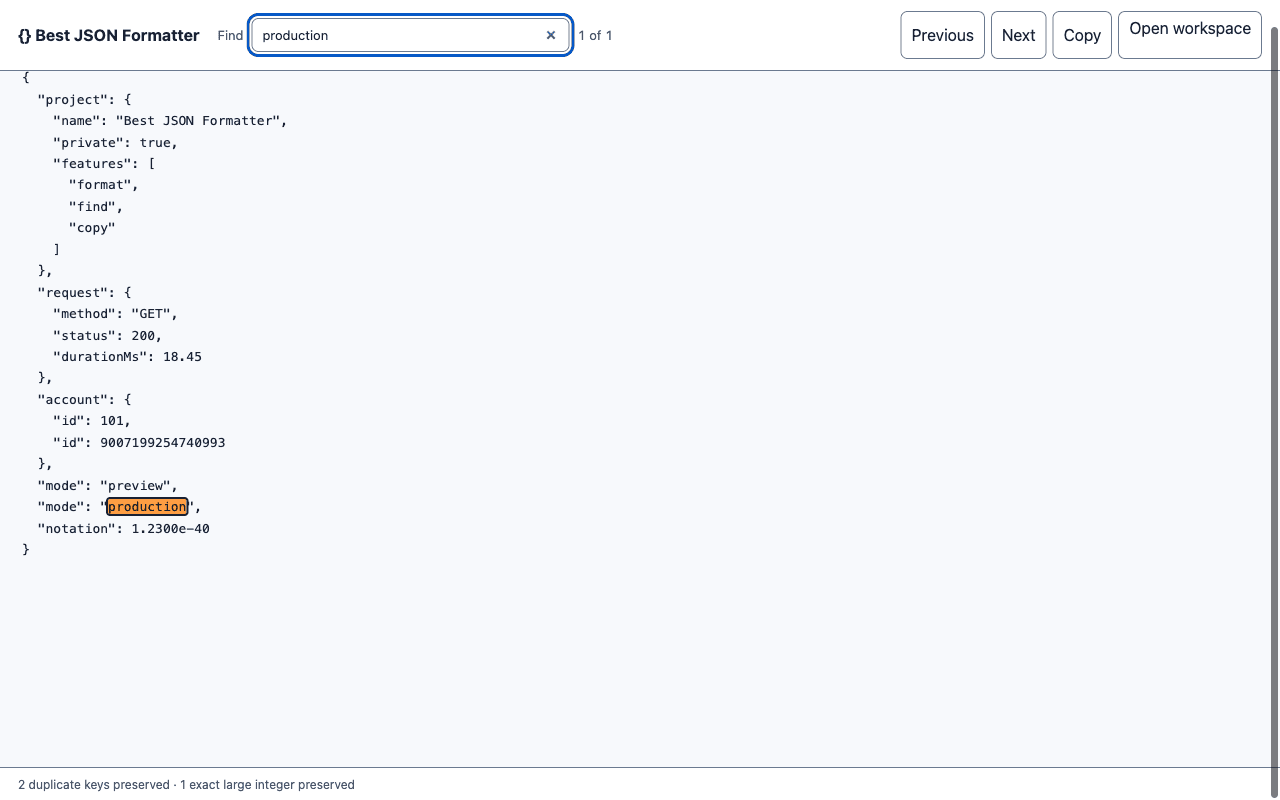
The Best JSON Formatter extension recognizes raw JSON tabs, formats them locally, and keeps Find, Copy, and the full web workspace one step away.
What it does
- Formats JSON responses without sending the document to a server.
- Preserves duplicate keys, large integers, exponent notation, and escaped strings.
- Shows Find with previous and next match controls by default.
- Copies the formatted response or opens the advanced web workspace.
Install the packaged release
- Download and extract the ZIP file.
- Open
chrome://extensionsin Chrome or another Chromium browser. - Enable Developer mode, choose Load unpacked, and select the extracted folder.
This is the same package prepared for Chrome Web Store review. Store installation will replace these manual steps after the listing is approved.
Local processing and transparent site access
The extension has no analytics and no account. Its content script checks whether a tab contains a raw JSON response and otherwise does nothing. The current document remains within the tab and extension service worker; opening the web workspace does not transfer it.
Because a JSON response can come from any HTTP or HTTPS origin, Chromium describes this as access to all sites during installation. File, FTP, and browser-internal pages are excluded. The script exits immediately unless the browser reports JSON or the page contains a single raw JSON block.
Review the complete privacy policy or test formatter correctness with the public fixtures.